Portfolio

My Work

A focused view of my technical direction, tools, and project evidence.

Smart Electronic Safe project screenshot

Smart Electronic Safe

Embedded Systems

An ESP32-based smart safe that secures valuables behind an electromechanical door using two authentication paths: numeric PIN entry through a keypad and contactless RFID access. The system gives real-time feedback through an OLED display, LEDs, and buzzer alerts while controlling a solenoid lock through a relay.

Problem
Conventional electronic safes often rely on a single authentication method, provide minimal feedback, are hard to extend with new credentials, and may depend on continuous mains power. This project addresses those weaknesses with an offline, battery-powered, multi-factor safe prototype.

Project photos
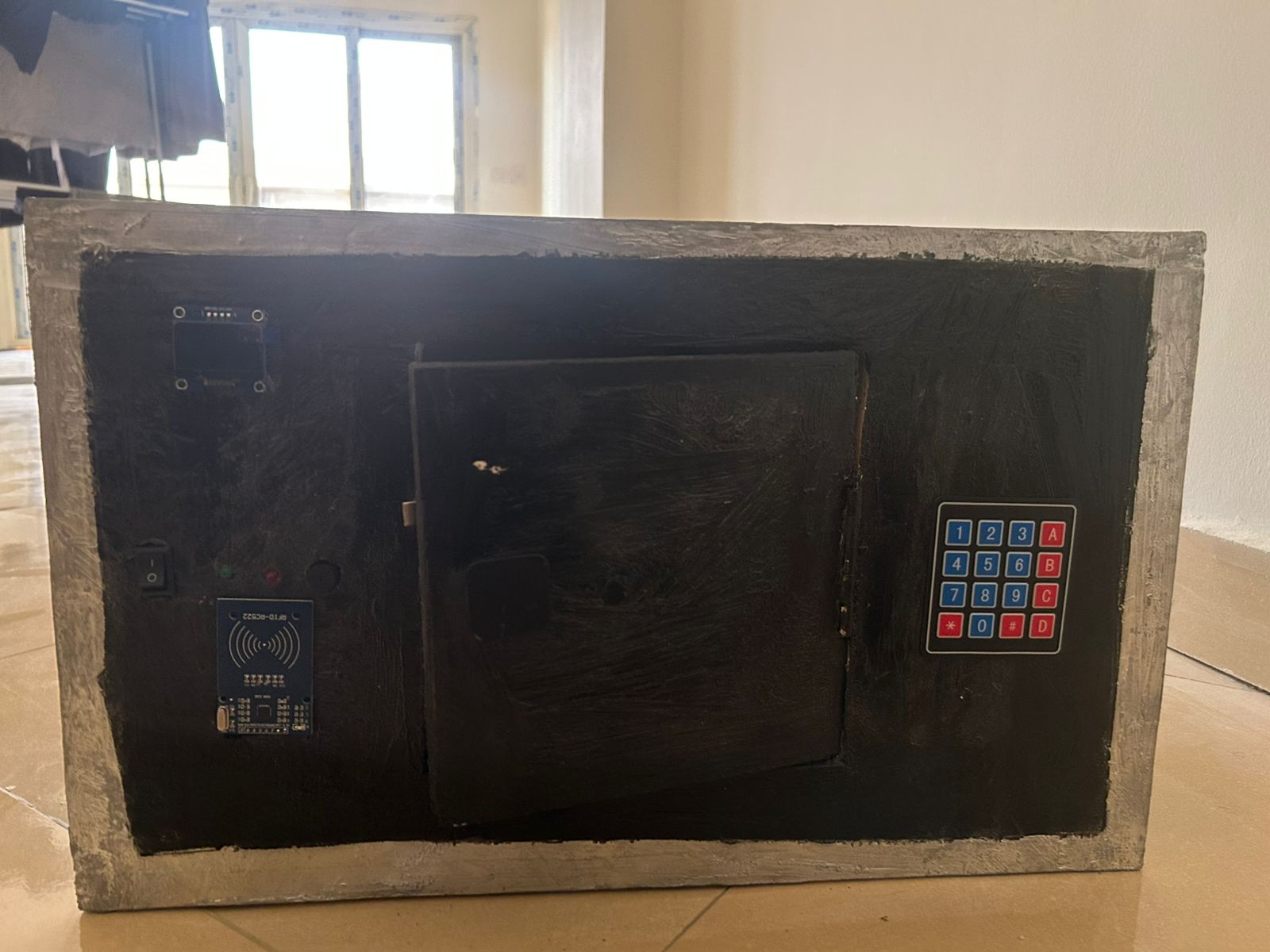
Front view of the Smart Electronic Safe with keypad, RFID reader, OLED screen, LEDs, buzzer, and switches
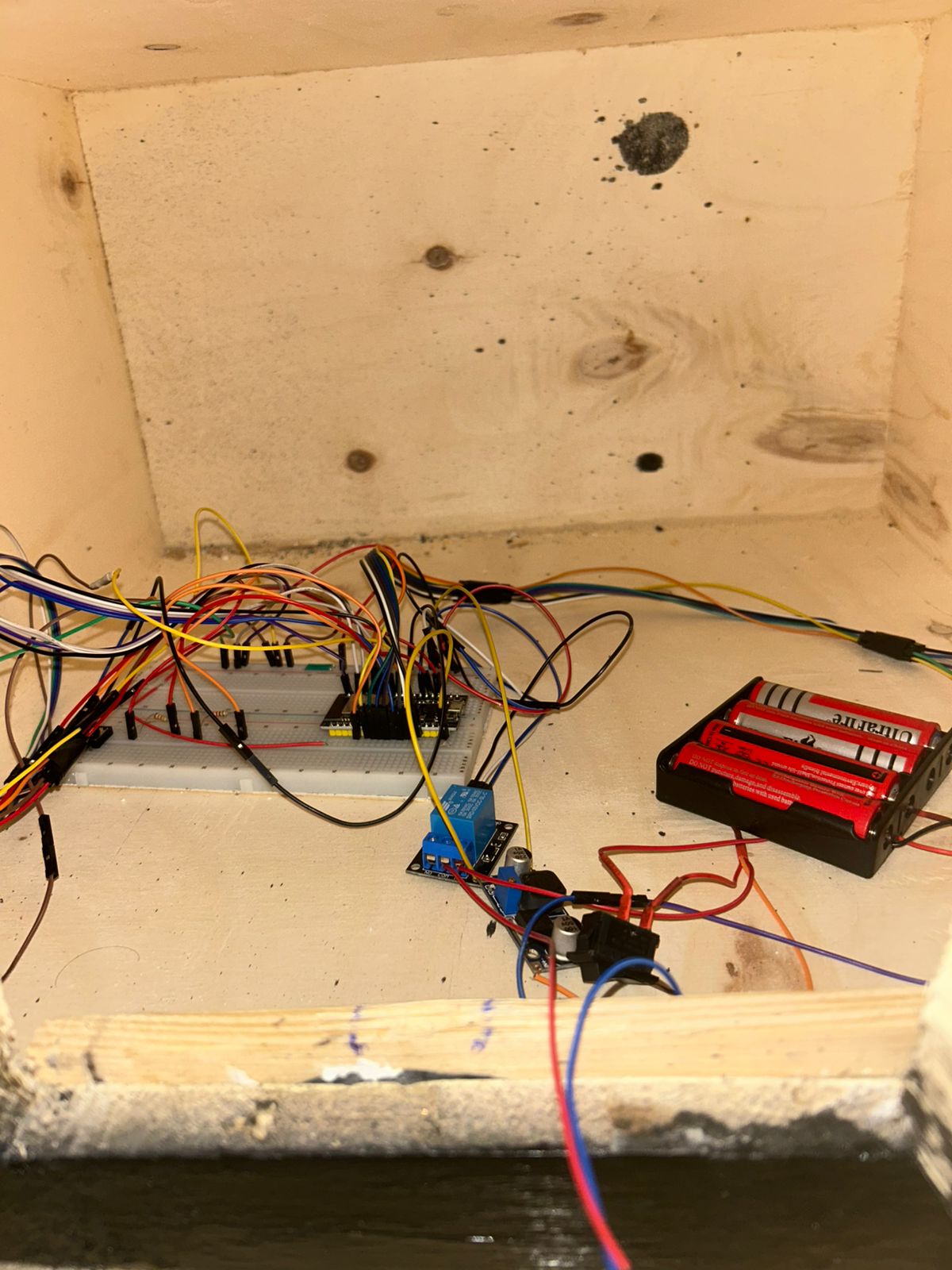
Interior wiring of the Smart Electronic Safe with ESP32, relay, breadboard, and battery pack
Tech stackOpen
ESP32C++OLEDKeypadRFIDRelayVoltage DividerSolenoid LockBuzzerSystem SwitchPower SwitchLEDs

Embedded Hardware & Firmware Stack

Microcontroller

ESP32

Central controller for authentication logic, peripheral coordination, and firmware state handling.

Firmware

C++

Used for the embedded firmware and control logic.

Display

OLED

Shows real-time user feedback, states, prompts, access results, and system messages.

PIN Input

Keypad

Provides numeric PIN entry and command input.

Access Control

RFID

Adds contactless card-based authentication.

Actuation

Relay + Solenoid Lock

Controls the physical locking mechanism while isolating the high-current lock path from the ESP32.

Power / Signal

Voltage Divider

Used where voltage levels needed to be adapted safely for the circuit.

Feedback

Buzzer + LEDs

Provides audible and visual status feedback for success, failure, lock state, and user actions.

Controls

System Switch + Power Switch

Supports system control, demonstration, maintenance, and power handling.
Report
Electronic Smart Laser Alarm System project screenshot

Electronic Smart Laser Alarm System

Electronics

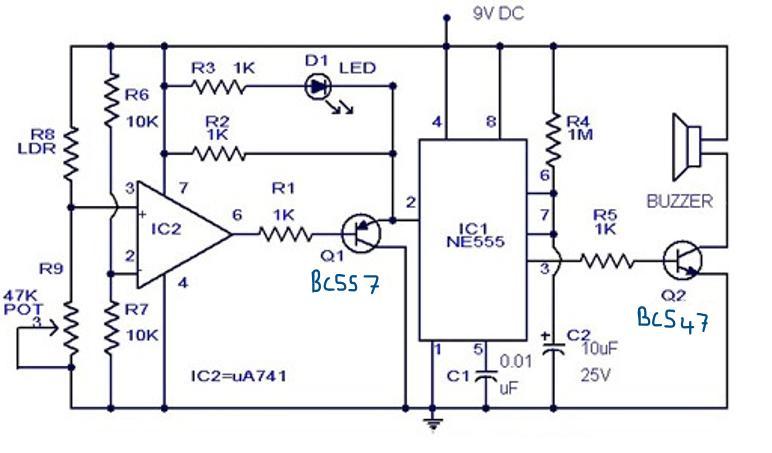
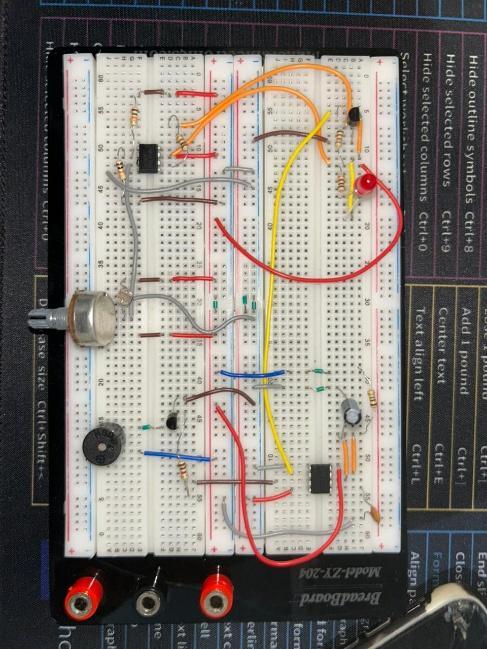
A light-triggered security alarm circuit built with an LDR sensor, UA741 comparator, NE555 timer, LED indicator, transistor driver, and buzzer. The circuit detects when a light path is interrupted and responds with visual and audible alarm feedback.

Problem
Residential and restricted-area security needs a simple, low-cost way to detect unwanted entry or access. The report frames the problem around detecting a breach quickly and warning the user when the protected light path is blocked.

Project photos

Breadboard prototype of the Electronic Smart Laser Alarm System circuit
Circuit schematic for the Electronic Smart Laser Alarm System with LDR, UA741, NE555, LED, and buzzer
Tech stackOpen
NE555 TimerUA741 Op-AmpPotentiometerLEDLDR SensorBC557BC5471kΩ Resistors10kΩ Resistors1MΩ Resistor10µF Capacitor0.01µF CapacitorBuzzer9V DCBreadboardWires

Electronics Components & Roles

Timer

NE555 Timer (IC1)

Generates the pulsing signal and timing behavior that drives the buzzer alarm.

Comparator

UA741 Operational Amplifier (IC2)

Compares the LDR voltage against the sensitivity threshold to detect a light interruption.

Sensitivity Control

Potentiometer

Adjusts the reference level so the alarm can be tuned for different light conditions.

Sensor

Light Dependent Resistor (LDR)

Detects changes in light intensity when the protected light path is blocked.

Visual Feedback

LED

Shows the active alarm condition visually when the circuit is triggered.

Switching

BC557 PNP + BC547 NPN Transistors

Q1 interfaces the comparator with the timer, while Q2 drives the buzzer current safely.

Resistors

1kΩ, 10kΩ, and 1MΩ

Used for current limiting, voltage division, comparator stability, transistor biasing, and timer delay.

Capacitors

10µF Polarized + 0.01µF Ceramic

Set the alarm timing behavior and improve timer stability by reducing noise.

Alarm Output

Buzzer

Produces the audible alert when the light-interruption condition is detected.

Power & Build

9V DC, Breadboard, and Wires

Power and prototype hardware used to assemble and test the circuit.

Report
Gym Management System project screenshot

Gym Management System

Java Database App

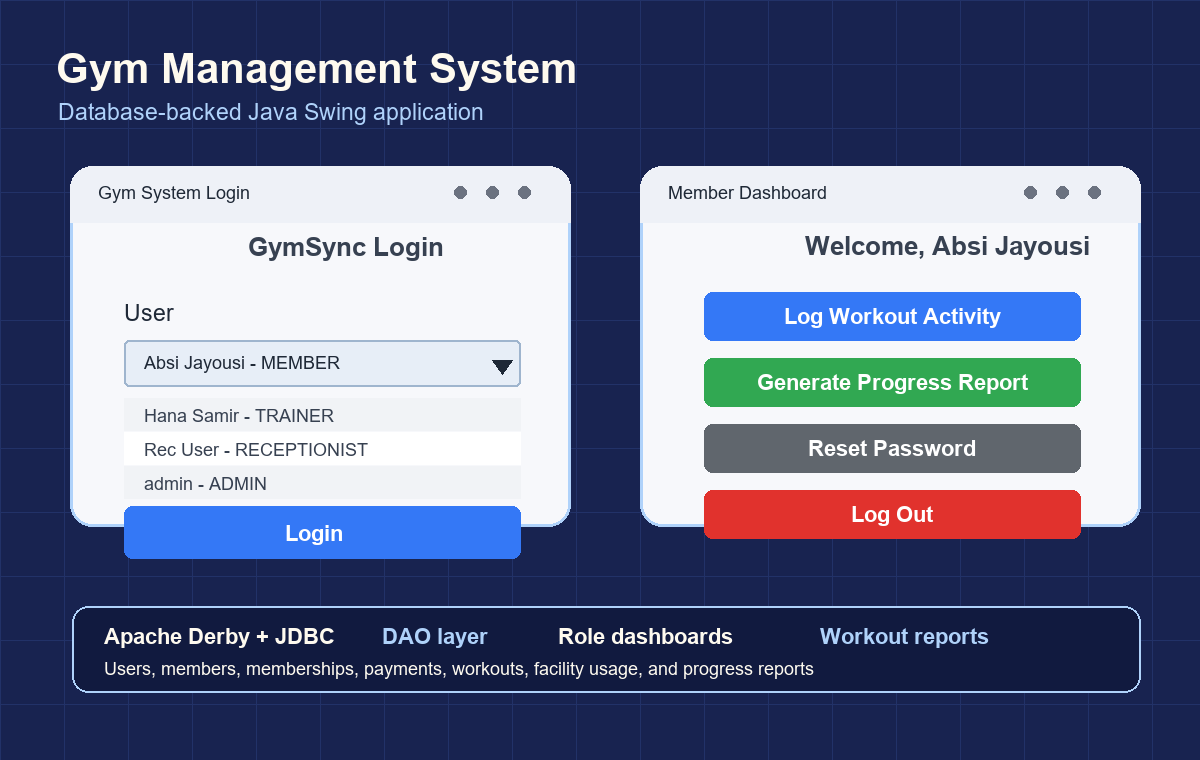
A Java desktop application for managing gym members, trainers, receptionists, administrators, memberships, payments, workout sessions, facility usage, medical alerts, and progress reports. The system uses Swing screens for role-based workflows and connects to an Apache Derby database through JDBC and DAO classes.

Problem
Gym operations need more than simple member records: staff need to track memberships, payments, training activity, progress, medical notes, and facility usage without losing data between sessions. A manual or file-only system makes it harder to keep member information consistent across different roles.
Tech stackOpen
Java 17Java SwingApache DerbyJDBCSQLDAO PatternService LayerNetBeansOOP

Database-Backed Java Stack

Language

Java 17

Core implementation language for the desktop application, models, services, and DAO classes.

Interface

Java Swing

Provides login, role dashboards, workout logging, report generation, member management, and password reset screens.

Database

Apache Derby

Relational database backend used through the included Derby client library.

Database Access

JDBC

Connects the application to the Derby database using prepared statements and SQL queries.

Persistence Layer

DAO Pattern

Separate DAO classes handle users, members, memberships, payments, workout sessions, facility usage, medical alerts, and progress reports.

Business Logic

Service Layer

Auth, member management, workout, coaching, facility usage, and progress report services keep logic out of the UI.

Architecture

Models + Services + DAOs + UI Frames

Organizes the system into maintainable layers instead of putting all logic inside screens.

Roles

Member, Trainer, Receptionist, Admin

Login detects the user role and opens the correct dashboard and permissions path.

Core Features

Memberships, Payments, Workouts, Reports

Tracks gym operations, logs activity, and generates member progress summaries.

IDE / Build

NetBeans project structure

Project includes NetBeans configuration, build output, manifest, and source organization.

Source ZIP
Hotel Management System project screenshot

Hotel Management System

Java Desktop App

The Hotel Management System is a Java-based application designed to manage hotel operations efficiently. The system allows users to store client information, book and cancel rooms of different types, view room availability, order room services and food, and generate client bills. The application follows Object-Oriented Programming principles and demonstrates classes and objects, inheritance, interfaces, exception handling, collections, and file handling for storing client details, room bookings, and service orders.

Problem
Hotel operations can become difficult to manage when client records, room availability, bookings, service orders, and bills are handled separately or manually. This creates room-conflict risks, slower service, and less reliable tracking for staff and clients.
Tech stackOpen
Java 11Java SwingMavenOOPMVC StructureFile HandlingCollectionsCustom Exceptions

Java Application Stack

Language

Java 11

Core language used for the desktop application and OOP implementation.

Build Tool

Maven

Project structure, compilation settings, and application run configuration.

Interface

Java Swing

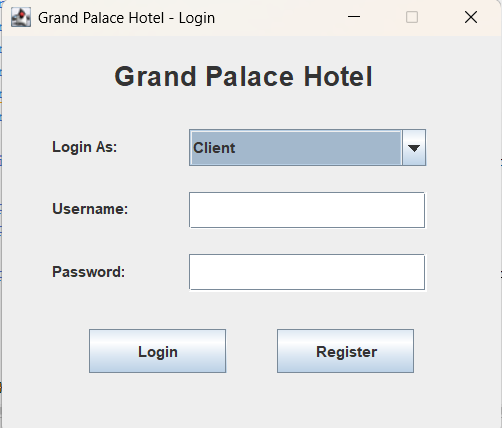
Desktop UI for login, registration, client dashboard, and admin dashboard screens.

Layout

NetBeans AbsoluteLayout

Used by the Swing screens for positioned desktop UI layouts.

Architecture

Model / View / Controller structure

Separates hotel data models, UI screens, and controller business logic.

OOP Concepts

Classes, inheritance, interfaces, and polymorphism

Room types, users, services, payments, bills, and reservations are modeled as objects.

Data Storage

Text files + Java File I/O

Stores clients, admins, reservations, staff, bills, and payments without an external database.

Data Handling

Collections

Manages rooms, clients, staff members, reservations, bills, services, and payments in memory.

Validation

Custom Exceptions

Handles invalid login, room availability, and payment error cases clearly.

Source ZIP
Cooking Recipes Website project screenshot

Cooking Recipes Website

Static Web Project

A multi-page recipe website branded as Cravory, built with static HTML, CSS, and JavaScript. The site presents recipes, blog content, success stories, meal plans, statistics, a login page, and a custom recipe submission flow with a strong food-focused visual style.

Problem
Recipe content can become hard to browse when meals, plans, cooking tips, and user-submitted recipes are scattered across disconnected pages. This project organizes that content into a single website where visitors can discover recipes, learn cooking guidance, and move through clear navigation.
Tech stackOpen
HTMLCSSJavaScript

Frontend Stack

Structure

HTML

Defines the multi-page website structure, navigation, recipes, plans, blog, login, and form content.

Styling

CSS

Controls the Cravory visual design, green brand system, hero layout, recipe grids, cards, buttons, and responsive page styling.

Interactivity

JavaScript

Adds client-side behavior for interactive statistics and page-level website features.

Source ZIP
Whisper Messaging App UI project screenshot

Whisper Messaging App UI

Mobile UI Design

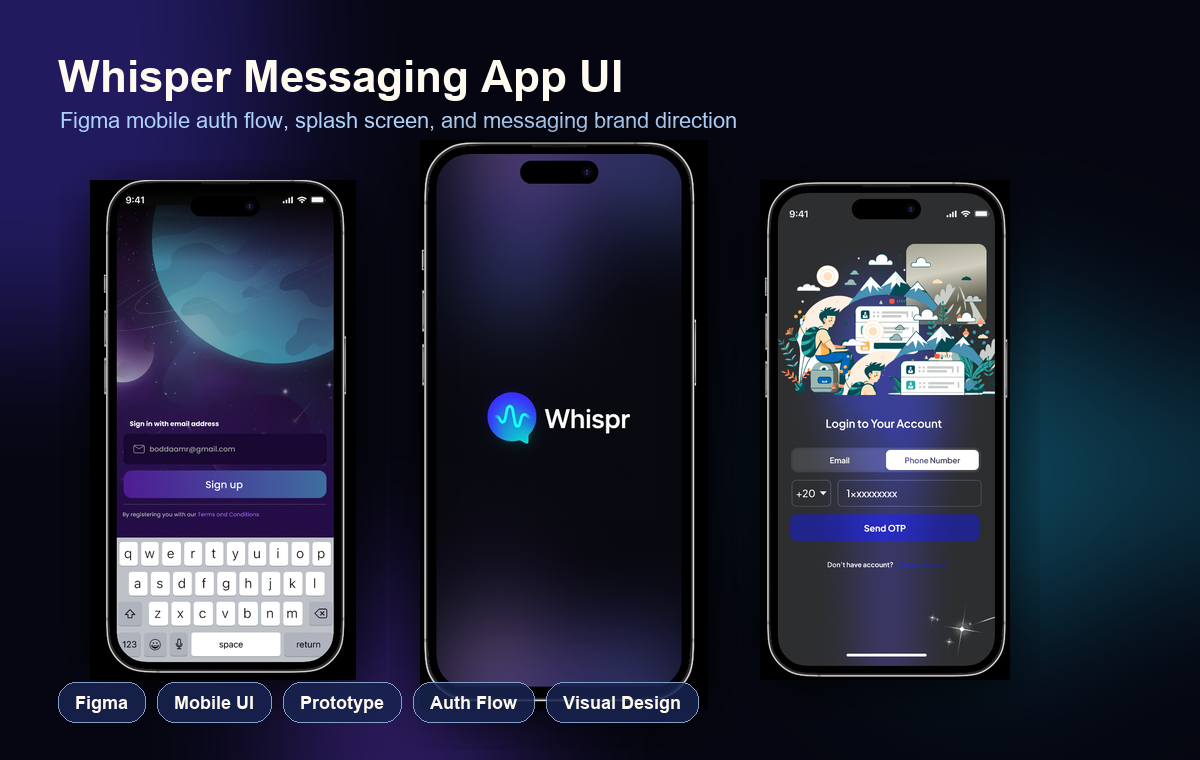
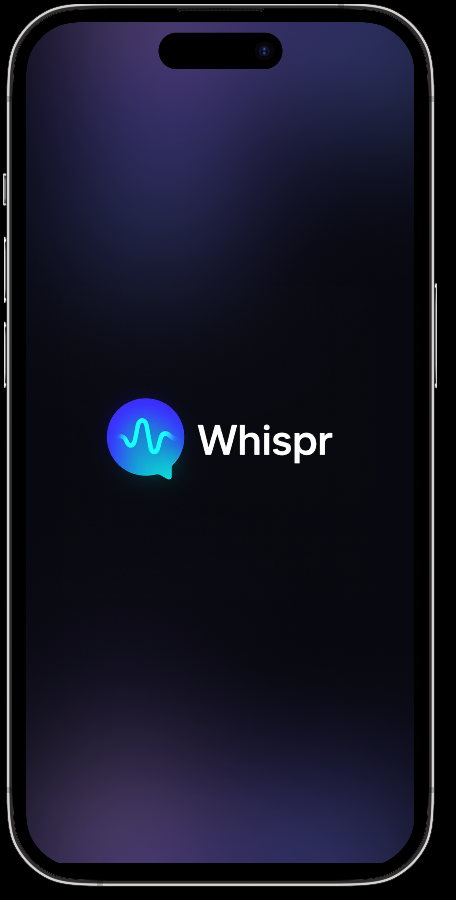
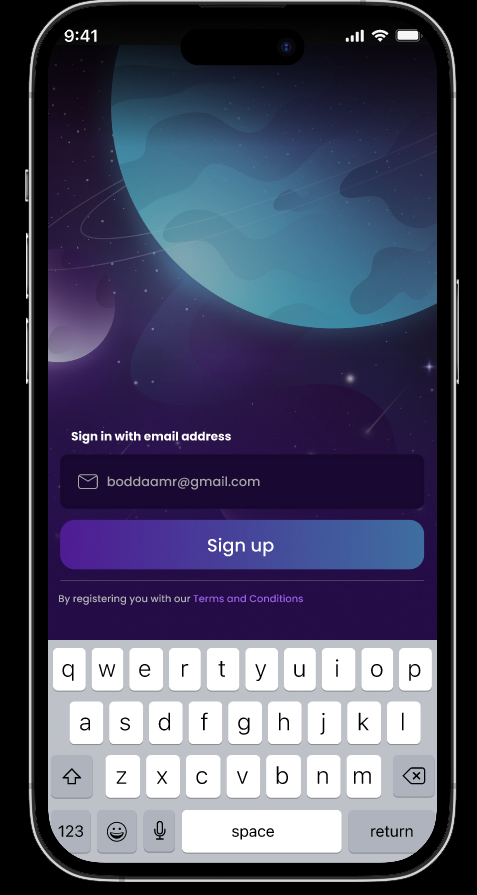
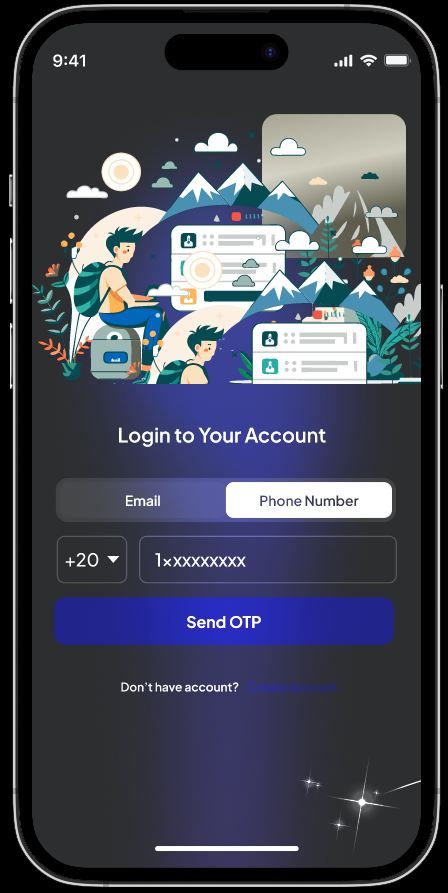
A Figma-designed mobile messaging app concept focused on a polished first impression, modern authentication screens, and a calm dark visual identity. The UI includes a branded splash screen, email sign-up flow, phone login/OTP flow, custom illustration usage, keyboard-state design, and gradient-based mobile styling for a premium chat-app feel.

Project photos

Whisper messaging app splash screen designed in Figma
Whisper messaging app email sign-up screen with keyboard state
Whisper messaging app phone login and OTP screen designed in Figma
Tech stackOpen
FigmaMobile UIPrototypeAuth FlowVisual DesignWireframes

Design Stack

Design Tool

Figma

Used for screen layout, visual design, phone mockups, and shareable design handoff.

Product Area

Messaging App UI

Focuses on a chat-app identity with splash, sign-up, login, and OTP entry screens.

User Flow

Authentication Flow

Includes email sign-up and phone number login states for onboarding users.

Visual Style

Dark mobile interface + gradients

Creates a premium mood with deep backgrounds, glowing accents, and clear CTA hierarchy.

Presentation

Phone mockups and screen states

Shows how the app feels on a realistic mobile frame across different moments.

Apex Fitness AI Web App project screenshot

Apex Fitness AI Web App

AI Fitness Web Platform

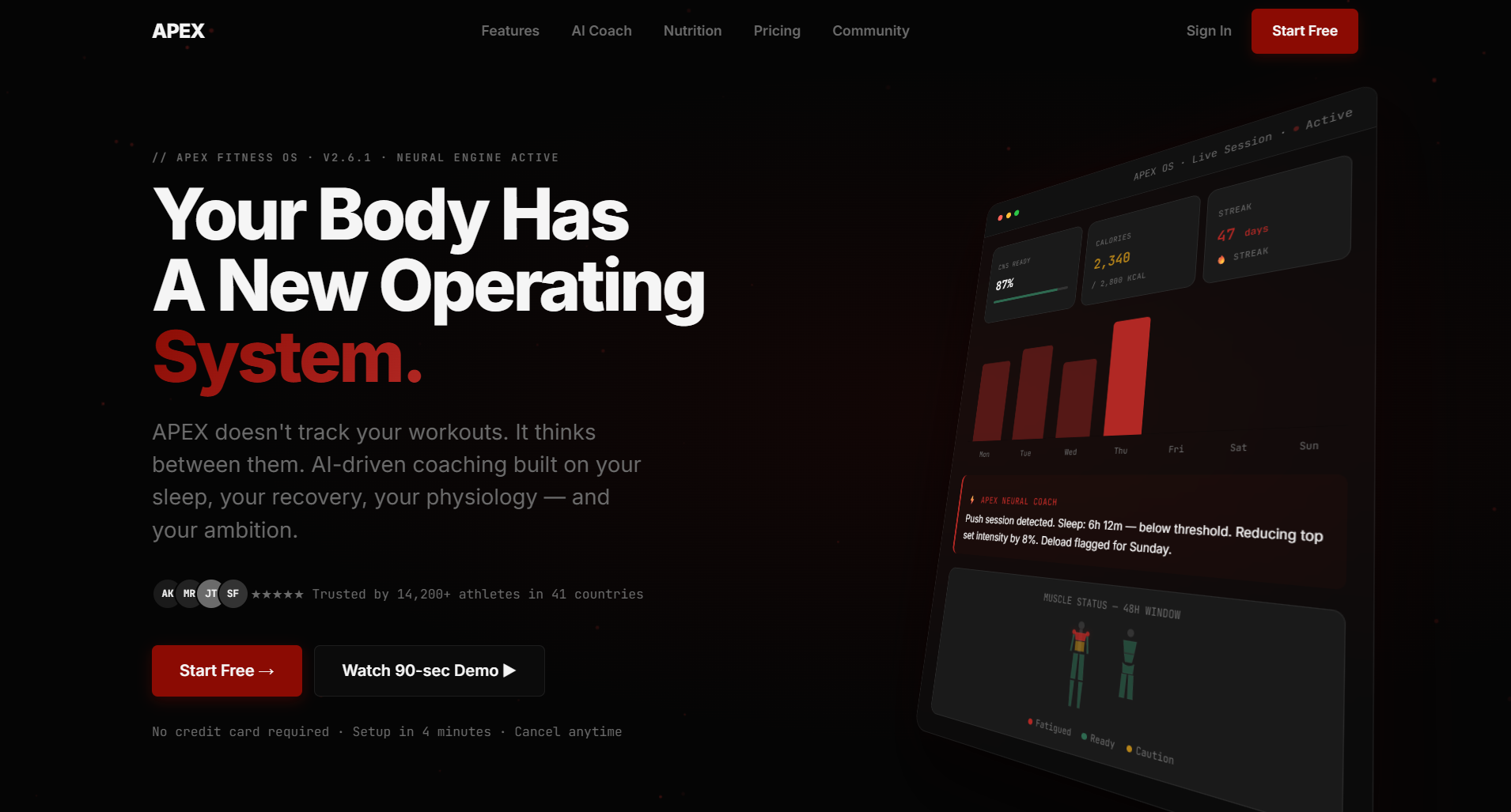
APEX is positioned as the operating system for the human body: an adaptive fitness platform that unifies training, nutrition, recovery, and progress into one continuously evolving system. The web app is specified as a Next.js dashboard experience for desktop analytics and program management, supported by a premium dark-red visual identity and AI coaching product flow.

Problem
People have more fitness information than ever, but still feel confused, inconsistent, and stuck because information alone does not adapt to their body, training history, recovery, nutrition, and real progress data.
Solution
APEX solves this with a personalized AI coaching system: onboarding generates a 12-week plan, workout logging feeds a progressive-overload engine, plateau detection flags stalled lifts, recovery scoring guides daily effort, and the AI coach uses user-specific context such as recent sessions, current program, recovery scores, nutrition averages, PRs, and plateau flags.

Project photos

APEX branded fist and lightning logo
APEX web app landing page hero screen
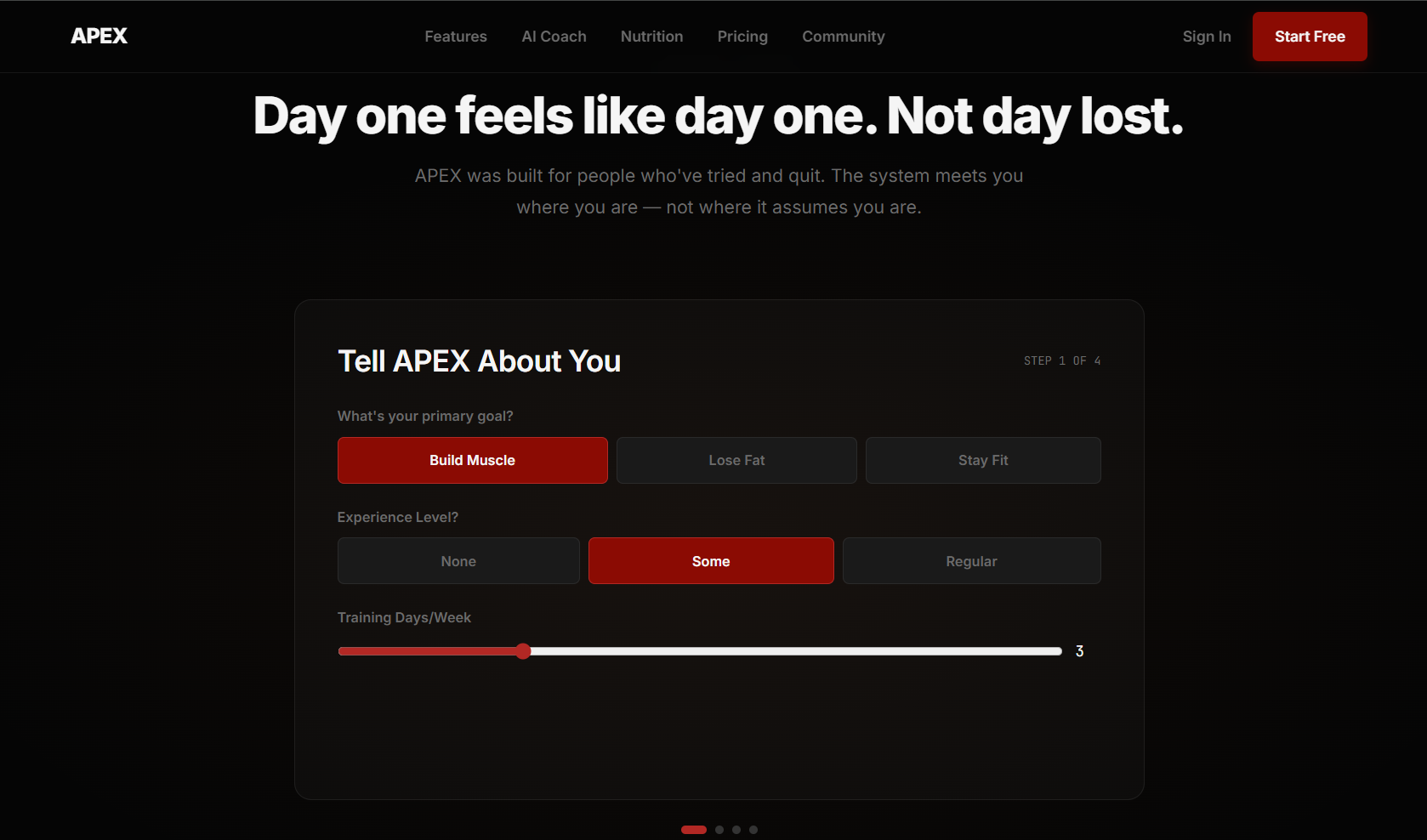
APEX onboarding screen asking about user fitness goals
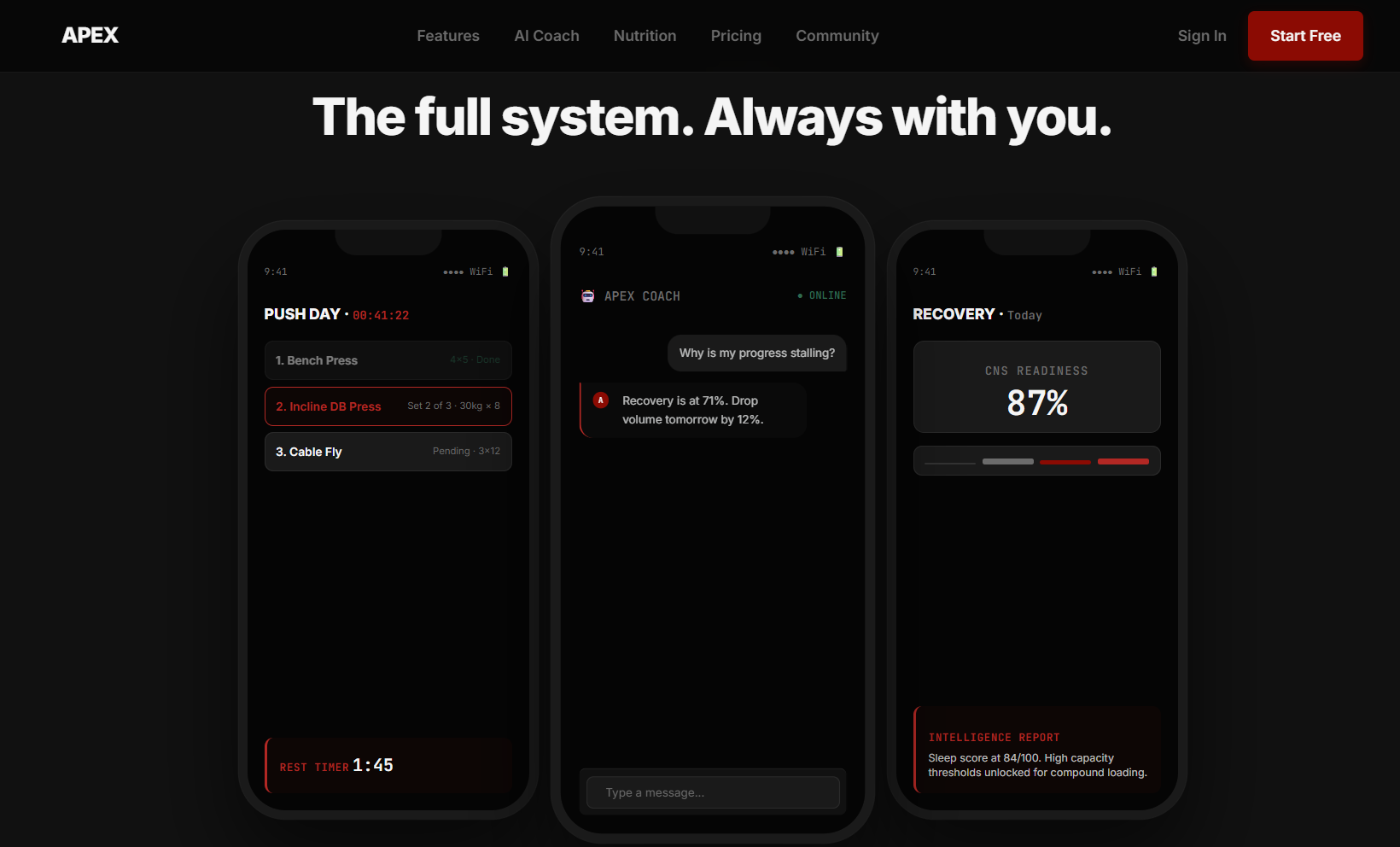
APEX system screen showing workout, AI coach, and recovery phone mockups
Tech stackOpen
Next.jsTypeScriptNode.jsFastifySupabasePostgreSQLRedisClaude APIOpenAIpgvectorPostHogSentry

Web App & Platform Stack

Web App

Next.js

Specified for dashboard access, desktop analytics, and program management.

Language

TypeScript

Typed frontend and backend development across the product stack.

Runtime / API

Node.js + Fastify

Backend server infrastructure with low overhead and built-in schema validation.

Database

PostgreSQL via Supabase

Relational data, Row-Level Security, and real-time subscriptions for user fitness data.

Cache

Redis (Upstash)

Session caching, rate limiting, leaderboard scoring, and real-time data support.

Authentication

Supabase Auth

JWT auth, magic links, and Google/Apple OAuth support.

AI Coach

Anthropic Claude API

Core AI coach for chat, program generation, and complex analysis.

Embeddings / Search

OpenAI text-embedding-3-small + pgvector

Exercise similarity search and semantic retrieval from user history.

Voice / Vision

OpenAI Whisper API + Claude Vision API

Voice logging, food scanning, and progress-photo analysis.

Analytics / Reliability

PostHog + Sentry

Product analytics, funnel tracking, feature flags, A/B testing, and error monitoring.

Deployment

Railway, Supabase, Docker, Nginx, Cloudflare

Managed hosting, database deployment, consistent environments, CDN, SSL, and API protection.

Apex Fitness Application project screenshot

Apex Fitness Application

APEX Mobile Companion

This is the mobile application companion and completion for the Apex Fitness AI Web App, carrying the same APEX product direction into an app-focused experience.